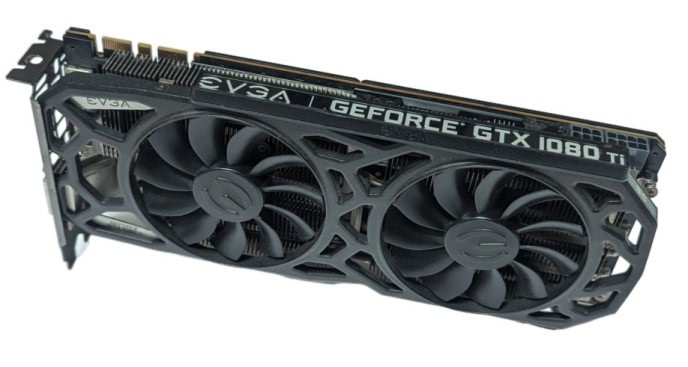
Despite being over eight years old, the NVIDIA GTX 1080 Ti remains a compelling choice for enthusiasts keen on running LLM locally.
Initially launched in early 2017 with a $699 MSRP, this GTX 1080 Ti card quickly earned a “legendary GPU” reputation among tech reviewers and YouTubers. Today, it’s readily available on the second-hand market (particularly in Northern California or on eBay) for around $150, often even less if you’re lucky.
For this modest price, you acquire a card with 11 GB of VRAM, an unconventional yet highly practical configuration for modern LLMs. With quantized models, 11 GB typically offers ample space for model weights and the context windows crucial for RAG workflows, coding assistants, and other use cases. This makes it an ideal sweet spot for hobbyists: affordable enough for experimentation, yet powerful enough to handle practical workloads.
Please note that local LLM inference performance is primarily assessed by two metrics:
- Prompt Processing: How quickly the LLM processes the input context.
- Token Generation: How rapidly the LLM produces output (the “answer”).
These metrics, often denoted as pp512 and tg128 (where the numbers represent total tokens), can be measured using llama.cpp, a very popular inference engine. As mentioned in our previous article on running LLMs locally with LM Studio and Jan, llama.cpp is one of the engines powering these applications.
For LLM tasks requiring long context windows, such as RAG or coding assistant, pp512 performance is paramount. Slow pp512 leads to noticeable lag as large prompts take seconds to preprocess before any output appears. Meanwhile, for dynamic chats or creative writing, tg128 is more critical, as it dictates the fluidity of the model’s responses. llama.cpp with CUDA
To run benchmarks, you’ll first need a CUDA-enabled build of llama.cpp, which involves installing NVIDIA’s CUDA toolkit and ensuring your development tools are correctly set up. A quick sanity check involves verifying the versions of nvcc, CMake, and gcc:
nvcc --version
cmake --version
gcc --version
If all three commands return version numbers, you’re ready to proceed.
Next, clone the llama.cpp repository and build it with CUDA enabled:
git clone https://github.com/ggml-org/llama.cpp
cd llama.cpp
cmake -B build -DGGML_CUDA=ON
cmake --build build --config Release
This compilation process can take some time, so be prepared for a short wait.
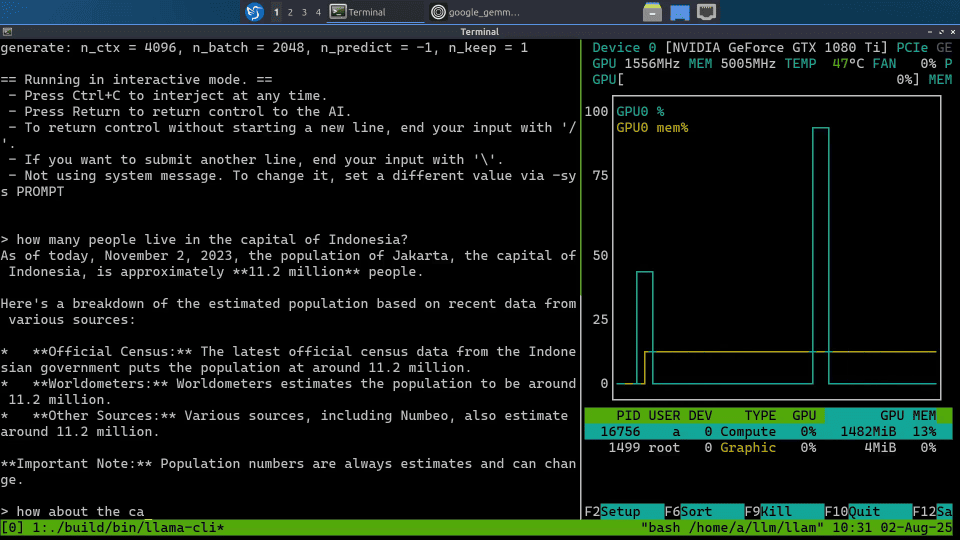
Once built, test your setup with a small model like Google’s Gemma-3 1B (approximately 800 MB). You can interact with it via the command line (llama-cli) or launch a lightweight web UI:
./build/bin/llama-server
Running nvtop concurrently will confirm that the GPU is actively utilized during inference.
With llama.cpp configured, benchmarking is straightforward using the included llama-bench tool. For consistent comparisons, Llama-2 7B Q4_0 quantization is a popular choice, being small enough to run comfortably and widely benchmarked.
Execute the following command:
./build/bin/llama-bench -ngl 100 -m llama-2-7b.Q4_0.gguf
The output will provide both pp512 and tg128. While these speeds may not match modern GPUs, they are more than enough for local experimentation. Crucially, the pp512 performance remains competitive enough to make retrieval-heavy workloads (like document-based question answering) viable. The GTX 1080 Ti may not be the fastest, but it offers an excellent entry point into local AI.
Community benchmarks in llama.cpp discussions, illustrate how this GPU compares:
- CUDA (NVIDIA GPUs): https://github.com/ggml-org/llama.cpp/discussions/15013
- Metal (Apple Silicon): https://github.com/ggml-org/llama.cpp/discussions/4167
- ROCm (AMD GPUs): https://github.com/ggml-org/llama.cpp/discussions/15021
- Vulkan (cross-platform): https://github.com/ggml-org/llama.cpp/discussions/10879
These threads are invaluable resources for real-world performance data, aiding decisions on building new local inference rigs or repurposing existing hardware.
A sample of these results:
- Apple M4 Pro: pp512 = 439 tok/s and tg128 = 50 tok/s
- GTX 1080 Ti: pp512 = 1084 tok/s and tg128 = 62 tok/s
- RX 9060 XT: pp512 = 1478 tok/s and tg128 = 65 tok/s
- RTX 2080 Ti: pp512 = 2890 tok/s and tg128 = 107 tok/s
- RTX 3090: pp512 = 5174 tok/s and tg128 = 158 tok/s
The RTX 2080 Ti, the 1080 Ti’s younger sibling, also features 11 GB VRAM. It represents a solid upgrade for increased speed, often found for around $250 on eBay if you’re fortunate with a bid.
For accelerated LLMs that can run on a GTX 1080 Ti with 4-bit quantization and enough VRAM for context processing, popular choices include Qwen 3 8B, Llama 3.1 8B, Gemma 3 12B, and Granite 4.0 Tiny 7B. If speed is a higher priority, smaller variants (e.g., Qwen 3 4B) are also excellent candidates.
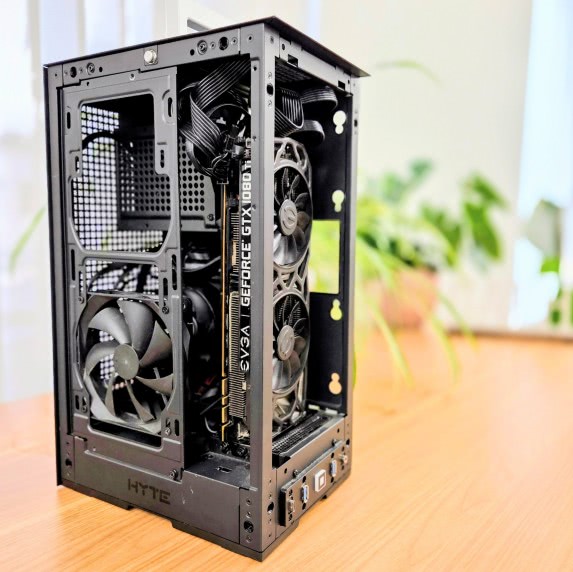
Ultimately, the GTX 1080 Ti’s most significant advantage is its cost. At approximately $150 on the used market, it leaves considerable budget for the rest of your system. A complete, cost-effective build can come in under $500, with an example shown in the accompanying photo. We’ll delve deeper into this specific rig and its capabilities in upcoming newsletter articles, so stay tuned!
Note: This article originally appeared on the Remote Browser Substack.